Vintage Style Video Effect: How to Create Retro Videos
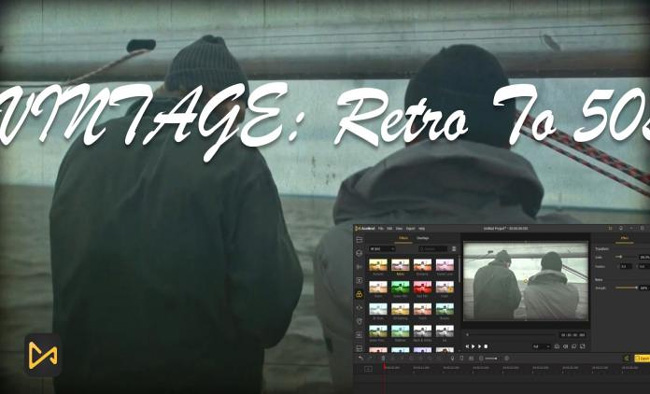
# Vintage Style Video Effect: How to Create Retro Videos
About Vintage
The Vintage Style Video Effect is a powerful tool for creating retro-style videos with a classic, nostalgic look. This effect mimics the appearance of old film stock, complete with faded colors, lifted blacks, and desaturated tones. It's perfect for content creators looking to add a touch of nostalgia to their videos, whether for personal projects, commercials, or social media content.
Features
- Faded Film Stock: Achieve the look of aged film with lifted blacks and muted colors.
- Desaturated Tones: Create a nostalgic atmosphere with reduced color saturation.
- Easy Application: Apply the effect with a single click, saving time and effort in post-production.
- Customizable Settings: Adjust parameters like tint, contrast, and brightness to fine-tune the vintage look.
- Versatile Use: Suitable for a wide range of video types, from personal vlogs to professional commercials.
When to Use Vintage
- Nostalgic Content: Perfect for videos that aim to evoke a sense of nostalgia or retro aesthetics.
- Storytelling: Enhance narrative videos with a vintage look to add depth and character.
- Branding: Use the vintage effect to create a unique and memorable brand identity.
How to Apply
1. Choose Your Video: Select the video you want to apply the vintage effect to.
2. Select the Vintage Effect: In your video editing tool, navigate to the effects or filters section and choose the Vintage Style Video Effect.
3. Adjust Settings: Fine-tune the effect by adjusting parameters like tint, contrast, and brightness to achieve the desired look.
4. Preview and Apply: Preview the effect and apply it to your video.
5. Export Your Video: Once satisfied with the result, export your video in the desired resolution.
For more video styles, check out the Documentary and Podcast Visual styles on Envizion AI.
Frequently Asked Questions
Ready to try AI video creation?
Start with 200 free credits. No credit card required.
Get Started Free200 credits included · Cancel anytime