Sports Ticker Style Video Effect: Elevate Your Sports Content
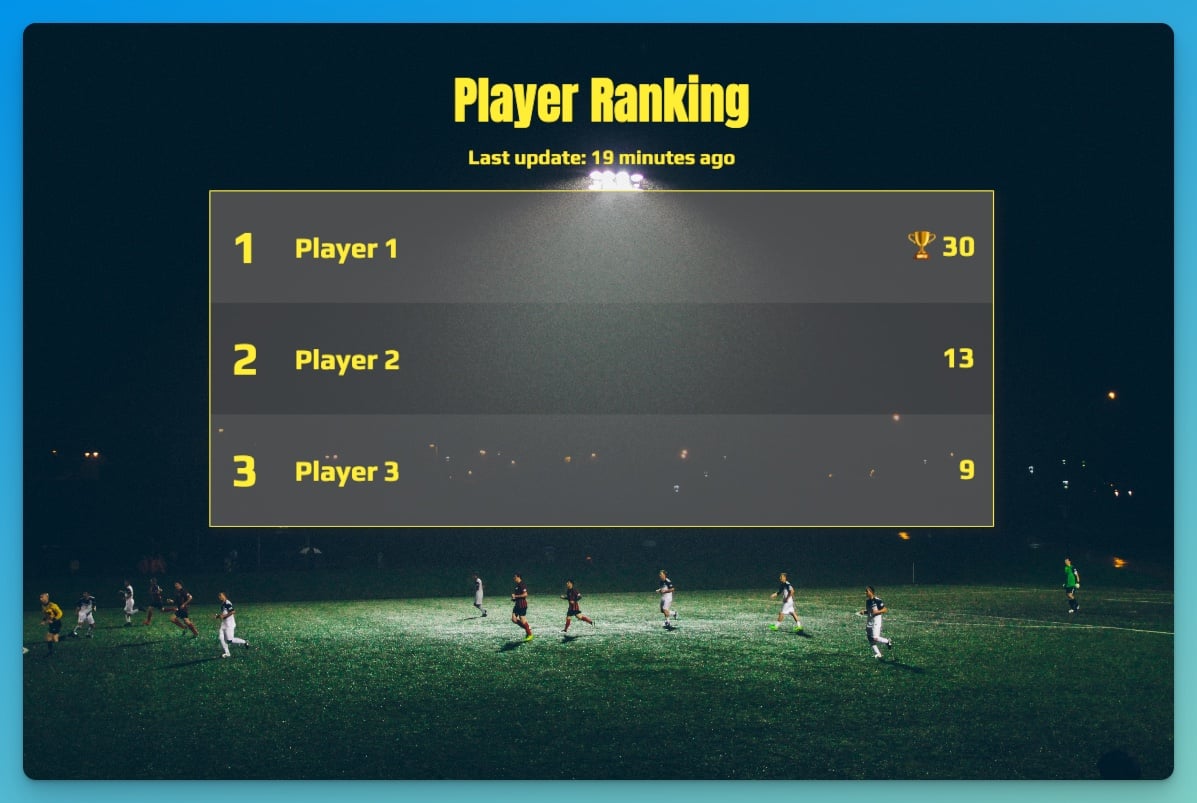
# Sports Ticker Style Video Effect: Elevate Your Sports Content
About Sports Ticker
The Sports Ticker Style Video Effect is designed to give your sports videos a professional look, similar to what you see on major sports networks. This effect overlays dynamic text updates, such as scores and game stats, directly onto your video. It's perfect for content creators who want to add a touch of professionalism and engagement to their sports content.
Features
- Dynamic Text Overlays: Automatically update scores and game stats in real-time, keeping your audience informed and engaged.
- Customizable Fonts: Choose from a variety of fonts, including Oswald, to match your video's style and tone.
- Uppercase Text Transformation: Ensure your text stands out with uppercase transformation, making it easy to read.
- Bold Font Weight: Highlight important information with bold text, drawing your audience's attention.
- Live Scoreboard: Display live scores and updates, giving your videos a professional and dynamic feel.
When to Use Sports Ticker
- Live Sports Commentary: Enhance your live commentary videos with real-time score updates and game stats.
- Sports Highlights: Add a professional touch to your sports highlight reels with dynamic text overlays.
- Sports Analysis: Make your sports analysis videos more engaging with live updates and scores.
How to Apply
1. Choose Your Template: Select the Sports Ticker template from the Envizion AI marketplace.
2. Customize Your Text: Enter the scores and game stats you want to display. Customize the font, size, and weight to match your video's style.
3. Apply the Effect: Apply the Sports Ticker effect to your video. The dynamic text overlays will be added automatically.
4. Review and Export: Review your video to ensure the effect is applied correctly. Export your video in your desired resolution, up to 4K.
For more dynamic text effects, check out the Explosion effect or the Podcast Visual style.
Frequently Asked Questions
Ready to try AI video creation?
Start with 200 free credits. No credit card required.
Get Started Free200 credits included · Cancel anytime