AI Video Enhancement Techniques: Separating Fact from Fiction
# AI Video Enhancement Techniques: Separating Fact from Fiction
Introduction: The Mystery of AI Video Enhancement
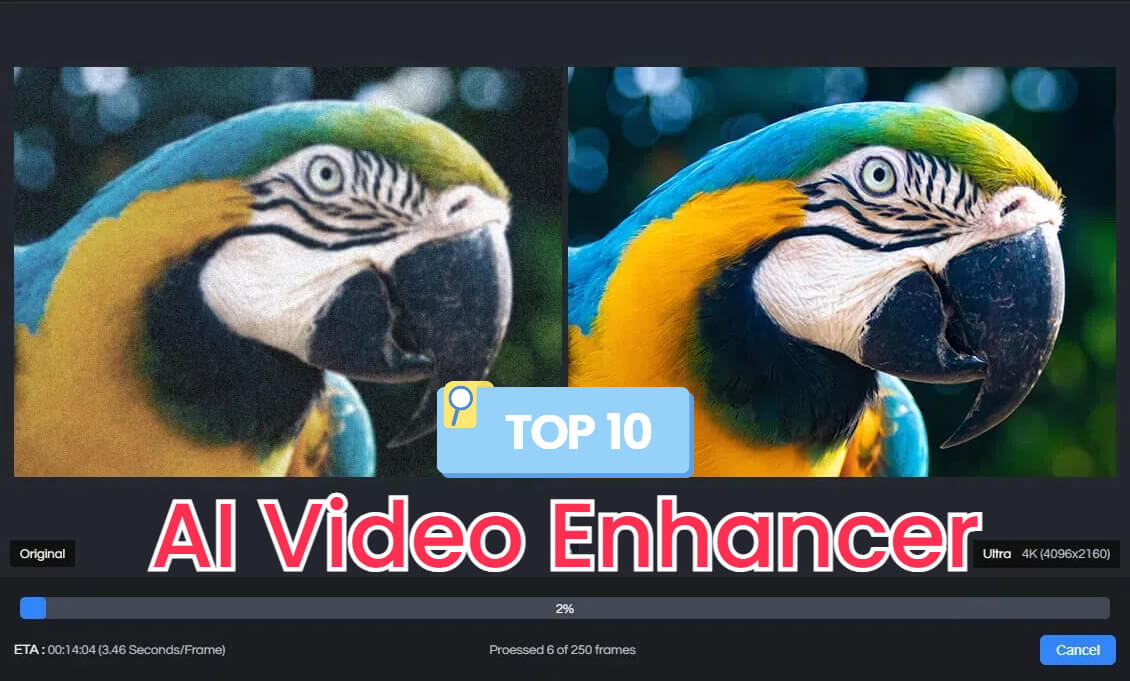
Have you ever wondered how AI can transform low-quality videos into stunning 4K masterpieces? The world of AI video enhancement is filled with promises, but which techniques truly deliver? Today, we'll dive deep into the science, test various tools, and uncover the reality behind AI video enhancement.
What is AI Video Enhancement?
AI video enhancement is the process of using artificial intelligence to improve the quality of videos. This can include upscaling resolution, reducing noise, enhancing sharpness, and more. The goal is to transform low-quality footage into high-quality videos with minimal effort.
The Science Behind AI Video Enhancement
AI video enhancement leverages deep learning algorithms to analyze and improve video quality. These algorithms are trained on vast datasets of high-quality videos, enabling them to predict and enhance details in lower-quality footage. Lossless processing techniques ensure that the original video quality remains intact even after enhancement.
Hypotheses: How AI Can Enhance Videos
Upscaling to 4K
AI can predict missing pixels to upscale videos to 4K resolution. This process involves analyzing the existing pixels and intelligently adding new ones to increase the resolution without losing quality.
Problem: Low-resolution videos lack detail and clarity.
Solution: Use AI to upscale videos to 4K.
Result: Videos gain enhanced detail and sharpness, making them suitable for high-definition displays.
Noise Reduction
AI can reduce noise in videos by analyzing and smoothing out grainy or pixelated areas. This results in cleaner, more professional-looking footage.
Problem: Noisy videos appear grainy and unprofessional.
Solution: Apply AI noise reduction techniques.
Result: Videos become smoother and more visually appealing.
Sharpness Enhancement
AI can improve the sharpness of videos by enhancing edges and details. This makes the footage appear crisper and more defined.
Problem: Blurry videos lack clarity and detail.
Solution: Use AI to enhance sharpness.
Result: Videos become clearer and more engaging.
Testing AI Video Enhancement Techniques
Tool 1: AVCLabs Video Enhancer AI
AVCLabs Video Enhancer AI uses deep learning to upscale videos to 4K. Its strong point is its ability to predict missing pixels intelligently, ensuring the upscaled video looks sharp and natural.
Features:
- Upscaling to 4K
- Noise reduction
- Sharpness enhancement
Results: Highly effective for upscaling, moderate improvement in noise reduction and sharpness.
Tool 2: Vmake AI Video Enhancer
Vmake AI Video Enhancer allows users to adjust brightness, contrast, saturation, and sharpness online. It's a free and fast tool that enhances videos instantly.
Features:
- Brightness and contrast adjustment
- Saturation and sharpness enhancement
Results: Effective for basic enhancements, but lacks advanced features like upscaling to 4K.
Tool 3: Unblur Image AI Video Quality Enhancer
Unblur Image AI Video Quality Enhancer uses lossless processing techniques to improve video resolution without degradation. It's a free tool that requires no sign-up.
Features:
- Lossless processing
- Resolution improvement
Results: Effective for improving resolution, but limited in other enhancement areas.
Results: What Works and What Doesn't
| Technique | Effectiveness | Best Tool |
|---|---|---|
| Upscaling to 4K | Highly Effective | AVCLabs Video Enhancer AI |
| Noise Reduction | Moderately Effective | AVCLabs Video Enhancer AI |
| Sharpness Enhancement | Moderately Effective | Vmake AI Video Enhancer |
| Brightness/Contrast Adjustment | Effective | Vmake AI Video Enhancer |
| Resolution Improvement | Effective | Unblur Image AI Video Quality Enhancer |
Practical Takeaways: Enhancing Your Videos with AI
1. Choose the Right Tool: Depending on your needs, select a tool that offers the specific enhancements you require. For upscaling to 4K, AVCLabs Video Enhancer AI is highly effective.
2. Adjust Settings: Use the tool's settings to fine-tune the enhancements. Adjust brightness, contrast, and sharpness to achieve the desired look.
3. Preview and Compare: Always preview the enhanced video and compare it with the original to ensure the improvements meet your expectations.
4. Export and Share: Once satisfied, export the enhanced video and share it with your audience.
Conclusion: The Future of AI Video Enhancement
AI video enhancement techniques offer powerful solutions for improving video quality. While some methods are highly effective, others may fall short. By understanding the science, testing various tools, and applying practical takeaways, you can enhance your videos effectively. Envizion AI provides a comprehensive platform for creating high-quality videos with ease, making it a valuable tool for content creators.
For more advanced video creation and enhancement, consider exploring Envizion AI's features and its template marketplace. Whether you're looking to create studio-quality videos or enhance existing footage, Envizion AI offers a range of tools to meet your needs.
Frequently Asked Questions
Ready to try AI-Powered Video Enhancement?
Start with 200 free credits. No credit card required.
Get Started Free200 credits included · Cancel anytime